In today’s always-online world, terms like cloud computing pop up everywhere—from work chats and tech forums to social media and startup conversations.
Yet many people still nod along without fully understanding what it actually means. Knowing the cloud computing meaning is important because it affects how we store photos, stream movies, run businesses, and even chat with friends online.
Whether you’re a student, freelancer, business owner, or just someone curious about modern tech language, this guide breaks it all down in simple, human-friendly terms. Updated for 2026, this article explains cloud computing in a clear, relatable way—no tech degree required.
What Does Cloud Computing Mean? (Definition & Origin)
Cloud Computing Meaning (Simple Definition)
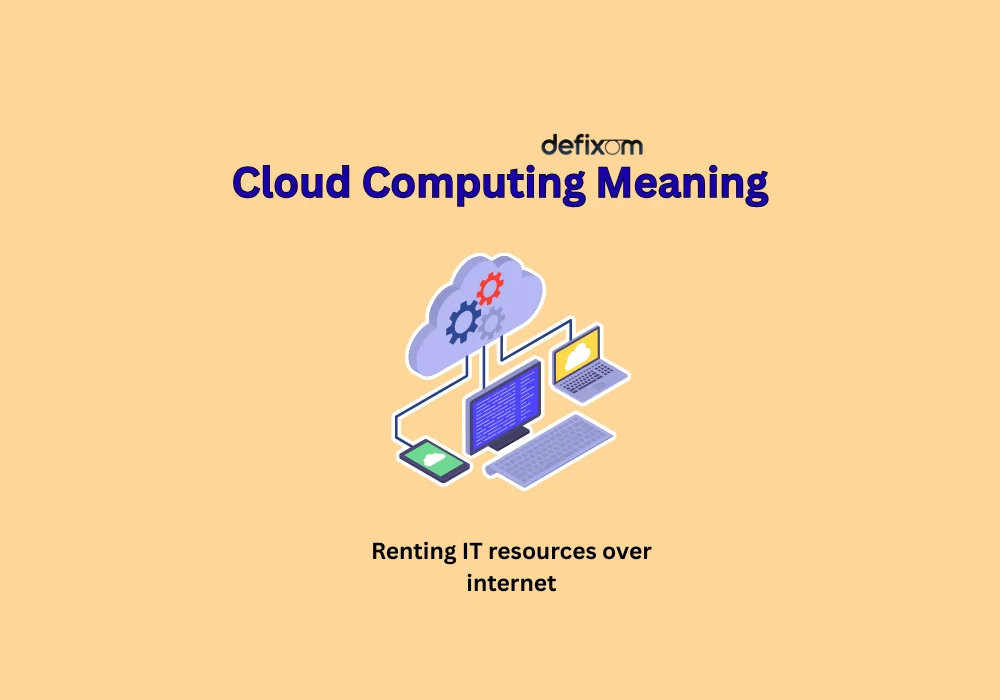
Cloud computing means using the internet (“the cloud”) to store, manage, and process data instead of relying on your computer’s hard drive or local servers.
In plain words:
👉 Your data lives online, not just on your device.
For example:
- Google Drive stores files in the cloud
- Netflix streams movies from the cloud
- Gmail runs entirely on cloud servers
You don’t need powerful hardware—just an internet connection.
Where Did the Term “Cloud Computing” Come From?
The word “cloud” originally came from network diagrams used by engineers. They drew a cloud shape to represent the internet because the internal details didn’t matter—just that data flowed in and out.
Over time:
- 2000s: Companies like Amazon and Google popularized cloud services
- 2010s: Businesses moved data centers online
- 2026: Cloud computing is now the backbone of AI, apps, and remote work
Today, the cloud computing meaning goes far beyond storage—it powers nearly everything digital.
How Cloud Computing Works (Without the Tech Jargon)
The Basic Idea
Instead of:
- Saving files on your laptop
- Running software from your computer
You:
- Access files from online servers
- Use apps that run on remote systems
These servers are maintained by cloud providers like:
- Amazon Web Services (AWS)
- Google Cloud
- Microsoft Azure
They handle:
- Security
- Updates
- Storage
- Performance
So you don’t have to.
A Relatable Example
Think of cloud computing like Spotify:
- You don’t own the music
- You stream it when needed
- It updates automatically
That’s exactly how cloud-based apps and storage work.
Types of Cloud Computing (Explained Simply)
1. Public Cloud
Used by most people daily.
Examples:
- Google Drive
- iCloud
- Dropbox
✔ Affordable
✔ Easy to use
✔ No setup required
2. Private Cloud
Used by companies that need more control.
Examples:
- Banks
- Government systems
✔ Higher security
✔ Custom setups
✖ More expensive
3. Hybrid Cloud
A mix of both public and private clouds.
Example:
- Sensitive data stays private
- Regular apps run on public cloud
This is the most popular cloud model in 2026.
How to Use Cloud Computing in Real Life
Everyday Uses
You’re already using cloud computing if you:
- Back up photos on Google Photos
- Watch YouTube or Netflix
- Use WhatsApp or Instagram
- Send emails via Gmail or Outlook
You might not say “cloud computing” in texts—but it’s working behind the scenes.
Professional Uses
In work or business chats, you’ll hear things like:
- “Upload it to the cloud”
- “Our app runs on AWS”
- “We’re migrating to cloud infrastructure”
In these contexts, cloud computing means:
- Faster collaboration
- Remote access
- Scalable systems
Examples of Cloud Computing in Conversations
Casual Chat Example
Friend: “My laptop crashed 😭”
You: “Did you save everything in the cloud?”
Friend: “Yep, Google Drive saved me.”
Work Chat Example
Manager: “Let’s move the project to the cloud so everyone can access it.”
Team: “Cool, shared folder works.”
Social Media Example (2026 Style)
“Everything’s in the cloud now—losing files is a skill issue 😅”
Why Cloud Computing Is So Popular in 2026
Top Reasons People Love It
- Access from anywhere
- Automatic backups
- Lower costs
- Scales easily
- Supports AI and smart apps
In 2026, cloud computing powers:
- AI chatbots
- Online gaming
- Remote jobs
- Streaming platforms
- Smart devices
Understanding the cloud computing meaning helps you keep up with modern tech conversations.
Common Mistakes & Misunderstandings
“The Cloud Is Not Secure” ❌
Reality:
- Cloud providers invest billions in security
- Often safer than personal devices
“The Cloud Is Just Storage” ❌
Actually:
- It runs software
- Processes data
- Hosts apps and websites
“Cloud Computing Is Only for Tech Experts” ❌
Truth:
- Anyone with a smartphone uses it daily
Cloud Computing vs Traditional Computing
| Feature | Cloud Computing | Traditional Computing |
|---|---|---|
| Storage | Online | Local device |
| Access | Anywhere | One device |
| Updates | Automatic | Manual |
| Cost | Pay-as-you-go | High upfront |
This comparison explains why cloud computing dominates modern tech.
Related Slang, Terms & Abbreviations
If you’re exploring tech or chat slang, here are related terms you might see:
- SaaS – Software as a Service
- IaaS – Infrastructure as a Service
- PaaS – Platform as a Service
- Serverless – Cloud without managing servers
- Data Center – Physical location of cloud servers
How to Talk About Cloud Computing Correctly
When It’s Okay to Say “Cloud”
✔ Casual chats
✔ Social media
✔ Non-technical discussions
Example:
“I saved it to the cloud.”
When to Say “Cloud Computing”
✔ Professional settings
✔ Tech blogs
✔ Business conversations
Example:
“Our platform relies on cloud computing for scalability.”
Using the right phrasing boosts clarity and credibility.
Cloud Computing Trends to Watch in 2026
- AI-powered cloud services
- Green cloud (eco-friendly data centers)
- Edge computing integration
- Stronger privacy controls
These trends keep the cloud computing meaning evolving year after year.
Conclusion:
To sum it up, cloud computing means using the internet to store data, run apps, and access services without relying on a single device. It’s faster, more flexible, and deeply embedded in everyday digital life.
In 2026, cloud computing isn’t just a tech term—it’s a life skill. From texting friends to running businesses, understanding this concept helps you navigate modern technology with confidence.

I am a curious writer at Defixom who loves breaking down words, meanings, and ideas into simple, easy-to-understand explanations. My goal is to help readers quickly find clear answers without confusion, using clean language and real human insight.